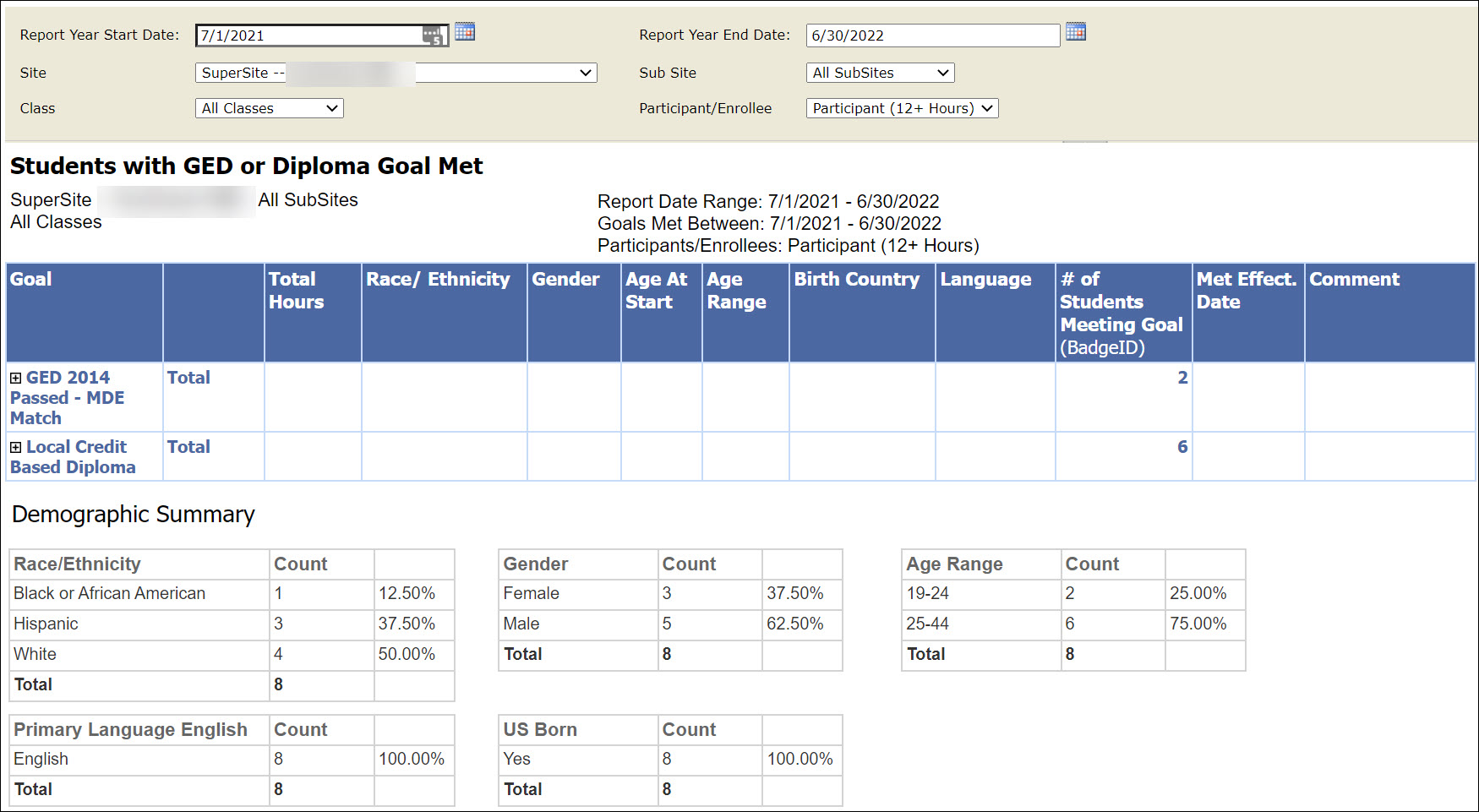
Use this report to see students with hours in the selected date range who MET a GED or Diploma Goal. Demographic information is included.
Report Filters
The filters at the top of the report allow you to find specific groups of students.
- Choose your report date range.
- Select the Site or Supersite from the Site menu.
- Select one or all classes
- From the Participant/Enrollee menu, choose the number of hours earned by the student during the report date range - any number of hours, 12+ or 40+ hours.
Report Body
The report has 6 tables.
The top table shows students who have a history item of Passed GED 2014, Local Credit Based diploma, or State Competency-Based diploma. Click the + (plus sign) in the Goal column to see student names.
The remaining tables show demographic breakdowns for the students in the top table.
0 Comments