This article tells how to add or edit a person's preferred pronoun on their SiD record.
An optional pronoun field appears on SiD student, staff, and volunteer records. Examples of pronouns include she/her/hers, he/him/his, they/them/their. Note that pronouns are not included on state and federal reporting.
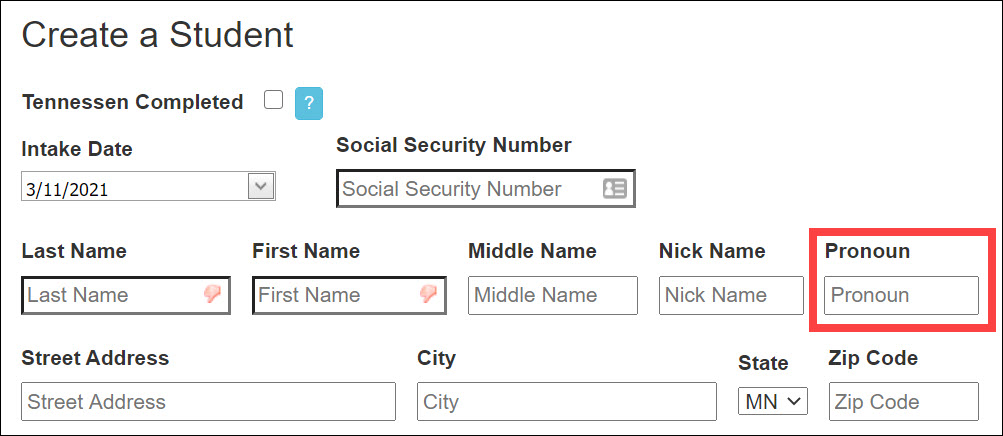
If desired, type a pronoun when creating a new record or adding an existing person record to SiD. Existing records in your site can also be edited to include the pronoun preference.
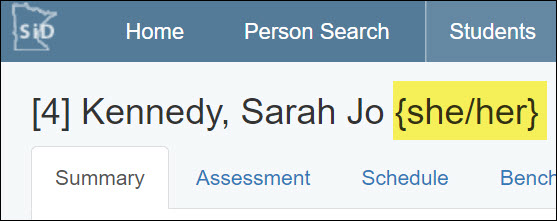
When a pronoun is included on a person's record, it will appear next to their name at the top of each screen.
Add a preferred pronoun on a new person record
- Collect the information from the person. For students, consider adding a space on your local intake form. The SiD generic student intake form has been updated to include it.
- On the electronic intake form, record the student's pronoun preference.
Edit a pronoun on an existing record
- Select the desired student, staff, or volunteer record.
- Go to the person's Info screen.
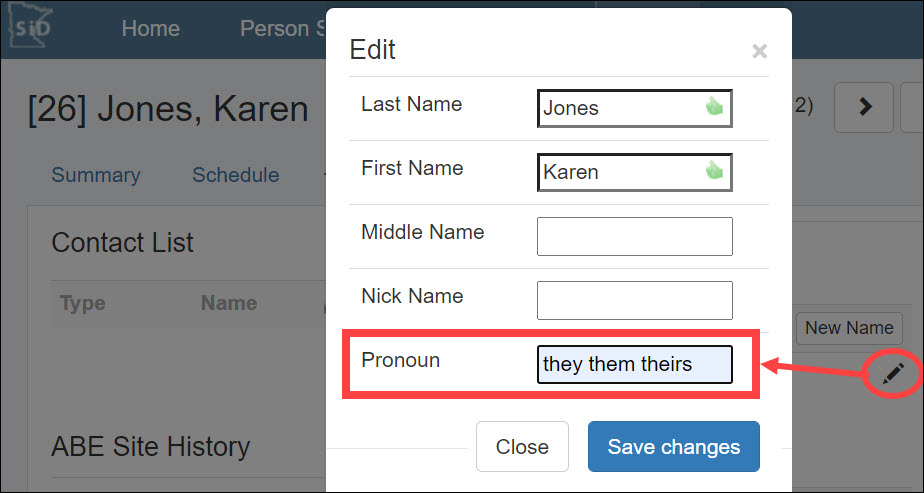
- At the end of the Name row, select the Edit pencil, or double click the name row.
- In the Edit box that appears, type the desired pronoun(s).
- Save the changes.
0 Comments