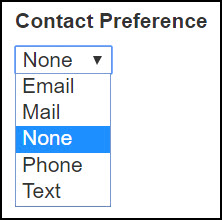
The Contact Preference menu tells how a student or volunteer wants to be contacted by the ABE program – by mail, phone, email, or text. This article describes how to manage this optional feature.
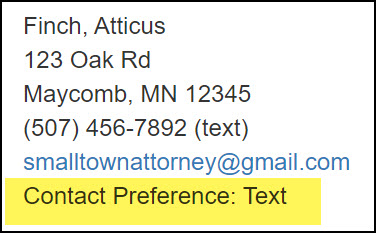
A person's Contact Preference is displayed on their Summary screen.
Add a Contact Preference for a new student, volunteer
Choose a Contact Preference when you create a new person record from scratch, add from Person Search, or use the Student Re-Entry screen for returning students.
Each of these screens has a Contact Preference menu. Simply select the person's choice from the menu.
Edit a Contact Preference
You can easily change a Contact Preference for an existing student or volunteer.
- Select the desired student or volunteer to go to the person's Summary screen.
- Click the blue Edit button on the bottom left, below the demographics section.
- On the Edit screen, locate the Contact Preference menu; make your selection, and Save.
- Confirm the change on the Summary screen.
0 Comments