Use this report to see status of submitted and in-process adult diploma portfolios.
Report Filters
The filters at the top of the report allow you to find specific groups of students.
- Select the Site or Supersite from the Site ID menu.
- The Adult Diploma Site menu shows diploma sites set up on Admin>Manage Adult Diploma Locations screen. Note: when a supersite is selected from the Site ID menu, the Adult Diploma Site menu will show only "All Diploma Sites."
- Edit the date ranges to find students whose portfolios were submitted or passed during the timeframe you choose.

Report Body
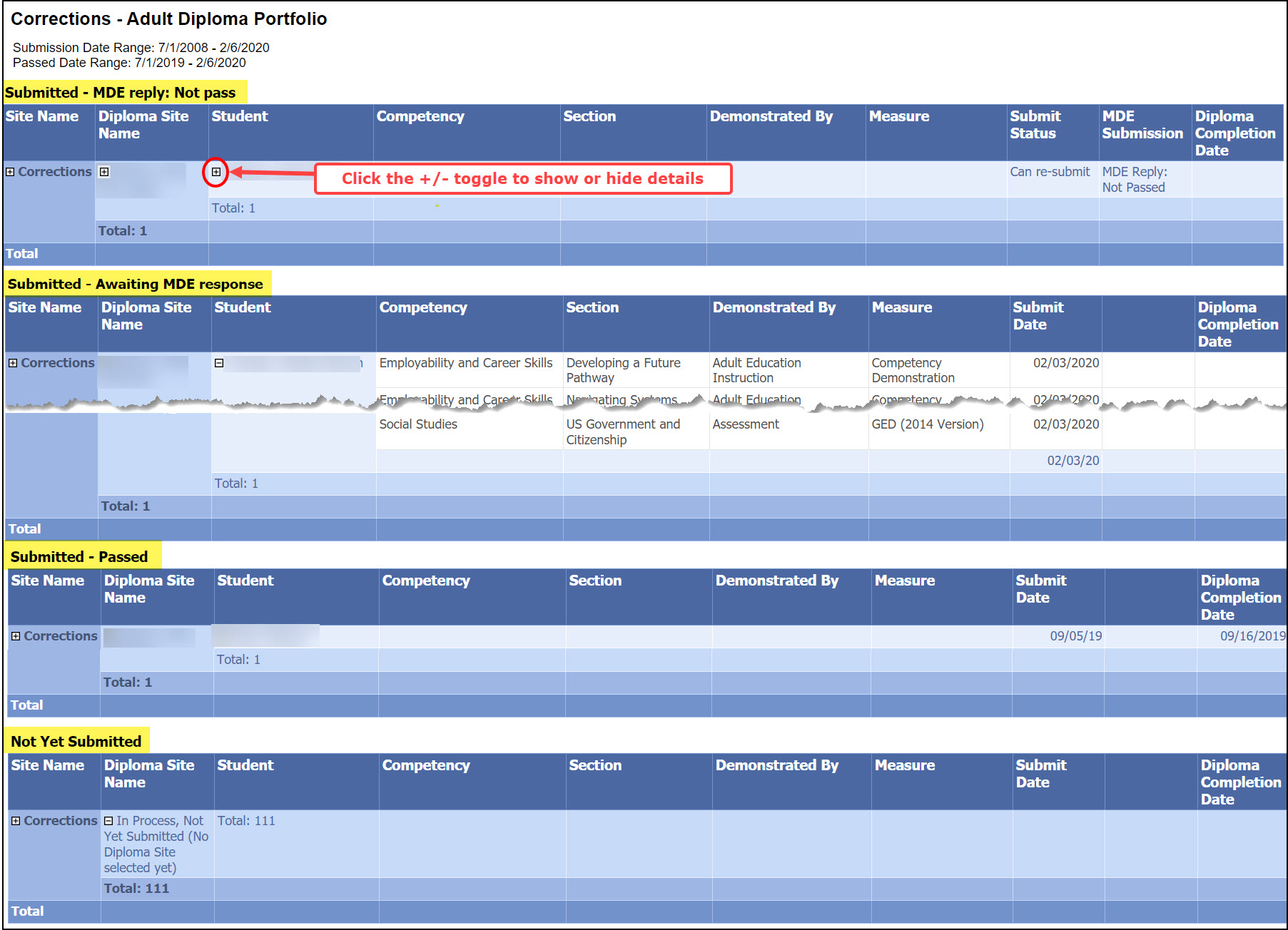
There are 4 tables in the report body. Each shows students at different stages of the portfolio process.
- Click the +/- toggle to show or hide details on the report.
- The 4 tables will always appear on the report, even if they are empty. If you can't see all the tables, there may be more than one page to the report.
- Click on a student name to go to his/her SiD record. Note: this link to the student record does not work if a supersite is selected in the Site ID menu.
0 Comments