Q: The list of open and closed classes on the Classes tab is getting too long. How do I show only the classes that are currently open?
A: On the Classes tab, adjust the Active Dates to see only classes open between the dates you specify.
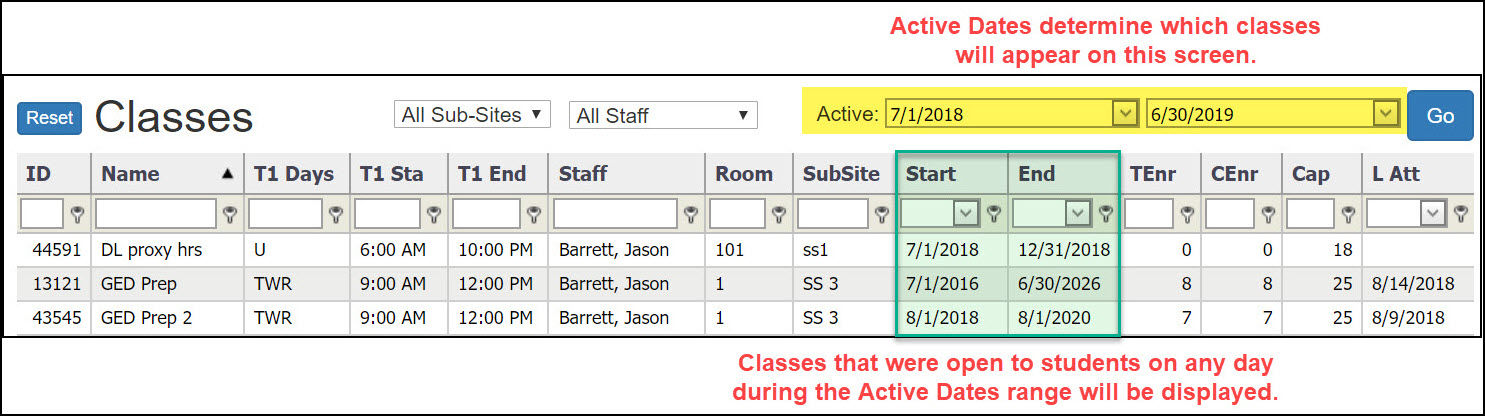
Change the Active Dates
- Go to the Classes tab.
- Type the desired first and last Active Dates.
- Click the blue Go button.
SiD will then display classes that were open to students on any day during the Active Dates range.
Examples
- To see classes open for the entire NRS Program year, set the first Active Date to 7/1/xx, and the second Active Date to 6/30/xx.
- To see classes currently open, type today's date in the first and second Active Date boxes.
The Active Dates will remain the same until you change them again.
0 Comments